Enter slope observations on the Slope tab of the Site dashboard.
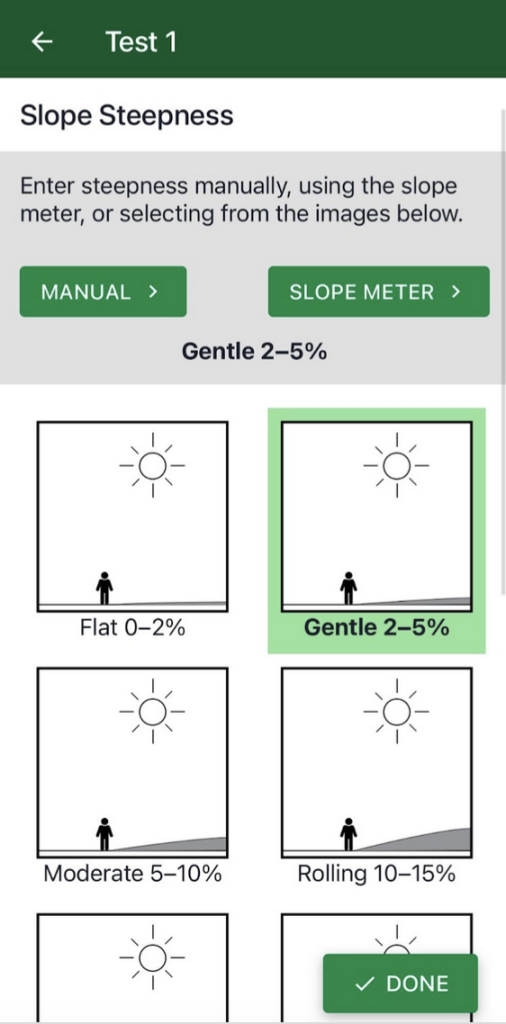
Slope steepness refers to the grade or degree of the slope. Steepness can be measured three different ways:
- Manual: If you know the steepness of the slope, enter the percent or degree
- Slope Meter: A built-in feature of the app that allows you to capture slope with your phone camera (see below)
- Slope Drawing: Tap the drawing that most closely matches the slope steepness you see
After entering the slope, tap the Done button to save your data.

Using the slope meter
Slope Meter uses the phone’s camera and clinometer to capture the slope of the land at a site.
Stand facing the site from at least 10-15 feet away. Identify the direction of the predominant slope at the site.
Stand so that you can see the ridge or silhouette of that predominant slope (although you may need to get close to the ground to see it.)
The direction you are facing should be perpendicular to the direction of the slope. If you hold your arms out to your sides, the line they make should be parallel to the direction of the slope.
Position your phone so that the solid white line is lined up with the land’s slope; try to place the white line along the slope’s edge. You may need to crouch down if the silhouette of the slope is not easy to see while standing.
Alternate Method: If the land shape is not too curved or bumpy, you can place a yard/meter stick on the ground at the site and then align your phone on the stick to get the angle of the slope.