The Site dashboard is where all the information about a site is displayed. It shows information about the location, contains tabs for entering observations at the site, and is the home for data exploration modules such as Soil ID.
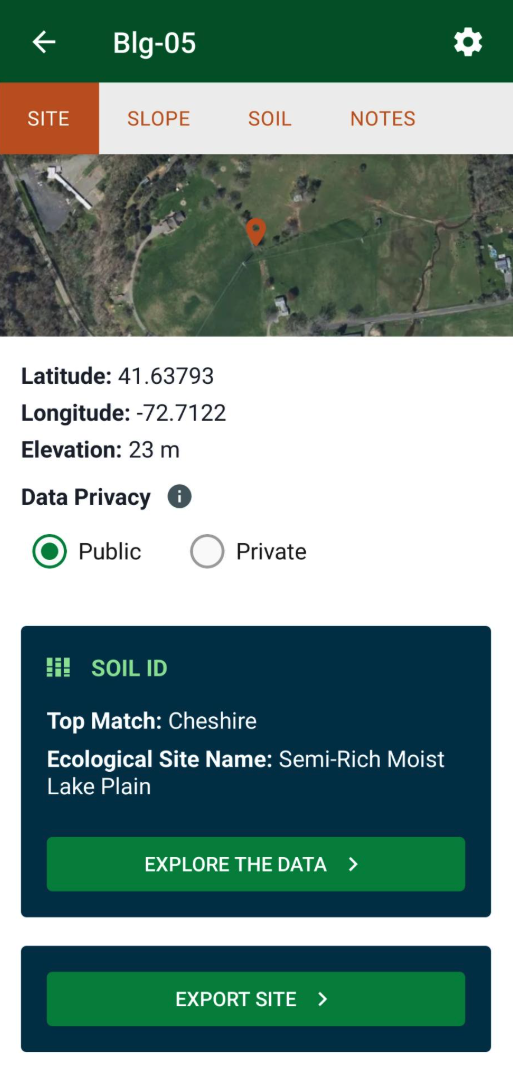
Accessing the site dashboard
Access the dashboard for a site on the Sites tab:
- Tap a Site card in the Sites List
- Tap a Site pin on the map, then tap the name on the site pop-up
Export Site Data
Tap Export Site to export this site’s data.
Note: you can also export data from all sites in a project, and from all the sites visible to you in the app. See more about data export.